
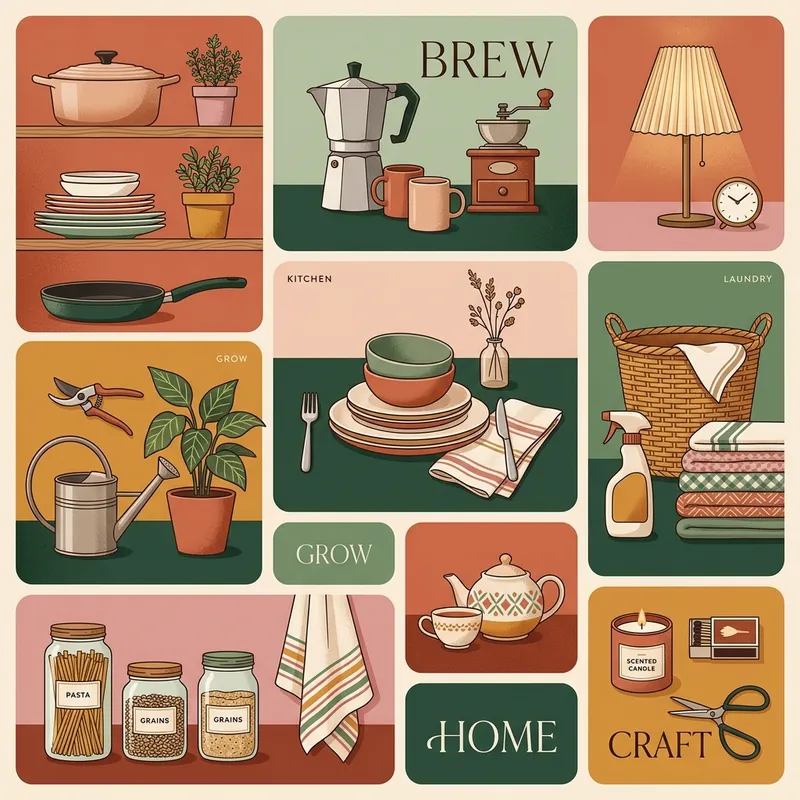
Content split into distinct compartments, like a Japanese bento box — clean, orderly, functional.
Key traits
- Grid-based
- Ordered
- UI-like
Origins
The Bento Grid takes its name from the compartmentalized Japanese bento box. It became a popular interface pattern in the late 2010s as product teams looked for layouts that could present many features without visual clutter. The format borrows from editorial grids and dashboard design, but its defining move is the boxed, self-contained module.
Visual language
Content is divided into distinct rectangular cells with clear gaps and consistent alignment. Each cell holds one idea: a statistic, image, feature, quote, or action. Sizes can vary, but the overall grid stays orderly. Rounded corners, cards, and generous padding soften the structure. The composition should feel modular and scannable, not like a dense dashboard.
Palette and type
Neutral backgrounds with one or two brand accents are common; each cell may use a different tint while the overall palette stays controlled. Typography is clean and hierarchical: a strong label or number, a short supporting sentence, and minimal body copy.
What it signals
Bento grids signal clarity, organization, and modern product thinking. They can feel elegant and scannable, or repetitive when every section is the same card with a different icon.
Where it works
They work for product landing pages, feature overviews, dashboards, app home screens, presentations, and editorial summaries. They are less suited to long-form reading or content that needs a single strong focal image.
Related styles
Sources
- Kittl — Detailed visual guide accessed 2026-10-21